Buy på.eu ?
We are moving the project
på.eu .
Are you interested in purchasing the domain
på.eu ?
domain@kv-gmbh.de · 0541-91531010
Buy på.eu ?
Can anyone help as Windows 10 keeps crashing? Microsoft Windows Immersive Shell.
If Windows 10 keeps crashing with the error message mentioning Microsoft Windows Immersive Shell, there are a few steps you can try to resolve the issue. First, try restarting your computer to see if that resolves the problem. If the issue persists, you can try running the System File Checker tool to scan and repair any corrupted system files. Additionally, updating your graphics drivers and checking for Windows updates may also help resolve the crashing issue. If these steps do not work, you may need to seek further assistance from Microsoft support or a professional technician. **
Can someone help with Windows 10 constantly crashing? Microsoft Windows Immersive Shell.
Yes, someone can help with Windows 10 constantly crashing due to Microsoft Windows Immersive Shell issues. One possible solution is to try restarting the Windows Explorer process, which can sometimes resolve the crashing problem. Additionally, updating Windows 10 to the latest version and checking for any available updates for the Microsoft Windows Immersive Shell can also help in resolving the issue. If the problem persists, seeking assistance from Microsoft support or a professional technician may be necessary to diagnose and fix the underlying cause of the crashes. **


Similar search terms for Microsoft-Windows-10-IoT
Top-Angebote
Products related to Microsoft-Windows-10-IoT:
-
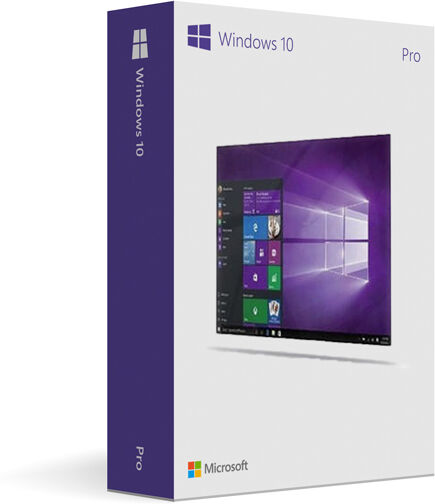
Microsoft Windows 10 ProfessionalMicrosoft Windows 10 Professional is designed to meet the needs of business users and professionals seeking a robust, secure, and versatile operating system. This edition builds on the familiar Windows 10 experience, offering enhanced features that support productivity, data protection, and seamless integration within professional environments across the UK. Windows 10 Professional provides a comprehensive platform tailored to fit the demands of modern workplaces. It supports advanced management and deployment tools, allowing IT departments to efficiently control updates, security settings, and application access. This makes it an ideal choice for small to medium-sized enterprises as well as individual professionals who require dependable performance and control over their computing environment. The operating system includes powerful security features designed to protect sensitive information. With BitLocker encryption, users can secure their drives and prevent unauthorized data access. Additionally, Windows Defender Antivirus offers real-time protection against malware, viruses, and other cyber threats, helping safeguard valuable business and personal data. Compatibility with a wide range of software and hardware ensures that Windows 10 Professional fits smoothly into existing setups. The operating system supports legacy applications as well as the latest productivity tools, enabling users to continue working with familiar software while enjoying updated features and improved performance. Businesses can also take advantage of Remote Desktop functionality, allowing secure access to work PCs from virtually anywhere, enhancing flexibility for remote or mobile working. Windows 10 Professional is designed with user productivity in mind. Features like virtual desktops help organise workspaces, while the enhanced Start menu provides quick access to frequently used apps and settings. Integration with Microsoft services such as Office 365 allows for a seamless workflow, boosting efficiency. The operating system regularly receives updates that improve security, add new features, and enhance compatibility. Users benefit from ongoing support and improvements directly from Microsoft, ensuring their systems stay current with evolving technology standards and security requirements. By choosing Microsoft Windows 10 Professional at Omega Keys UK, customers gain access to a genuine, fully licensed software product. This ensures access to official updates and support, critical for maintaining system reliability and security in professional settings. The product is available in stock, ready for immediate purchase and installation. In summary, Windows 10 Professional offers a balanced combination of security, performance, and management capabilities, making it a suitable choice for professionals and businesses in the UK. Its familiar interface, combined with powerful features, supports a productive and secure computing experience suited to a wide range of...19,99 £*Shipping: 0,00 £Secure redirect to the provider
-
Microsoft Windows 10 Pro (OEM)Microsoft Windows 10 Pro (OEM) for a single PC that cannot run Windows 11, for example a machine without TPM 2.0, or for software certified only on Windows 10. Windows 10 support has ended Microsoft ended support for Windows 10 on 14 October 2025; security updates continue only through the Extended Security Updates programme. If your PC meets the Windows 11 requirements, choose Windows 11 Pro instead. OEM licence The OEM key stays with the motherboard of the PC it activates. For a licence you can move to another computer, see Windows 10 Pro (Retail). Pro features BitLocker encryption Hyper-V and Windows Sandbox Remote Desktop host Domain join and Group Policy Install with Microsoft's Media Creation Tool and enter the key during setup or under Settings > Update & Security > Activation. Key and instructions arrive by email after checkout. More: Windows 10.9,99 £*Shipping: 0,00 £Secure redirect to the provider
-
Microsoft Windows 10 Home (Retail)Microsoft Windows 10 Home Retail key for one PC, for home computers whose hardware does not meet the Windows 11 requirements or that run software tested only on Windows 10. Read this first: end of support Windows 10 reached end of support on 14 October 2025. Security updates continue only for PCs enrolled in Microsoft's Extended Security Updates programme. If your computer is Windows 11-ready (PC Health Check will tell you), Windows 11 Home is the same price and still supported. What Home covers Microsoft Defender antivirus, Windows Hello sign-in, the Microsoft Edge browser and the Xbox app for gaming. Business tools like BitLocker and Remote Desktop hosting are in Windows 10 Pro. Moving to Pro later If you need Pro features, the Windows 10 Home to Pro upgrade changes the edition without reinstalling. Setting it up Download Windows 10 with Microsoft's Media Creation Tool, install it and enter the key when asked or afterwards under Settings > Update & Security > Activation. Instructions arrive with your key by email. FAQ How many PCs? One computer per key. See the Windows 10 page for all options.24,99 £*Shipping: 0,00 £Secure redirect to the provider
-
Microsoft Windows 10 Home (OEM)Microsoft Windows 10 Home (OEM) for a home PC whose hardware does not meet the Windows 11 requirements, or that runs software tested only on Windows 10. Windows 10 support has ended Windows 10 reached end of support on 14 October 2025. Security updates continue only for PCs enrolled in Microsoft's Extended Security Updates programme. If your computer is Windows 11-ready, Windows 11 Home is the better choice. OEM licence The key stays with the motherboard of the PC it activates. For a transferable licence, see Windows 10 Home (Retail). What Home includes Microsoft Defender antivirus, Windows Hello sign-in, Microsoft Edge and the Xbox app. For BitLocker and Remote Desktop hosting, choose Windows 10 Pro. Install with Microsoft's Media Creation Tool and enter the key when asked. Key and instructions arrive by email after checkout. More: Windows 10.9,99 £*Shipping: 0,00 £Secure redirect to the provider


-
Can someone help as Windows 10 keeps crashing? Microsoft Windows Immersive Shell.
Yes, someone can help troubleshoot the issue of Windows 10 crashing with the Microsoft Windows Immersive Shell. One possible solution is to try restarting the computer in safe mode and then disabling any recently installed programs or updates that may be causing the crash. It may also be helpful to run a system file checker scan to check for any corrupted system files that could be contributing to the issue. If the problem persists, seeking assistance from a tech support professional or contacting Microsoft support directly may be necessary. **
-
How can I downgrade my Microsoft Surface from Windows 11 to Windows 10?
To downgrade your Microsoft Surface from Windows 11 to Windows 10, you will need to perform a clean installation of Windows 10. This involves creating a bootable USB drive with the Windows 10 installation files, booting from the USB drive, and following the prompts to install Windows 10. Keep in mind that this process will erase all data on your device, so be sure to back up any important files before proceeding. Additionally, you may need to download the necessary drivers for your Surface device from the Microsoft website after the installation is complete. **
-
Can you install Windows 10 IoT, Firefox, Thunderbird, Office 2010, and Kaspersky Internet Security on a Raspberry Pi?
No, it is not possible to install Windows 10 IoT, Firefox, Thunderbird, Office 2010, and Kaspersky Internet Security on a Raspberry Pi. Windows 10 IoT is not compatible with the ARM architecture of the Raspberry Pi. Additionally, Office 2010 and Kaspersky Internet Security are designed for x86 or x64 processors, not ARM. While there are versions of Firefox and Thunderbird that are compatible with the Raspberry Pi's operating system, it may not be possible to run the full versions of these programs on the Raspberry Pi due to hardware and software limitations. **
-
Why is Microsoft discontinuing Windows 10 in the long term?
Microsoft is discontinuing Windows 10 in the long term to shift its focus towards newer operating systems like Windows 11. This allows Microsoft to provide users with more advanced features, improved security, and better performance. By ending support for Windows 10, Microsoft can concentrate its resources on developing and enhancing its latest operating system to meet the evolving needs of users and keep up with technological advancements. **

How can I open the Microsoft Store on Windows 10?
To open the Microsoft Store on Windows 10, you can simply click on the Start menu button located at the bottom left corner of your screen and then click on the Microsoft Store icon. Alternatively, you can type "Microsoft Store" in the search bar next to the Start menu button and press Enter to open it. Another way is to use the Windows key + S shortcut to open the search bar, type "Microsoft Store," and press Enter. **
How can I delete my Microsoft account on Windows 10?
To delete your Microsoft account on Windows 10, you can follow these steps: 1. Go to the Microsoft account page and sign in. 2. Select 'Security' and then click on 'More security options.' 3. Under 'Close my account,' select 'Close my account.' 4. Follow the instructions to verify your identity and complete the account closure process. Keep in mind that once you delete your Microsoft account, you will lose access to all associated services and data. **
Top-Angebote
Products related to Microsoft-Windows-10-IoT:
-
Microsoft Windows 10 IoT Enterprise LTSC 2021Windows 10 IoT Enterprise LTSC 2021 is the Windows version designed for dedicated devices and enterprise solutions that require long-term stability, security and performance. With the Long-Term Servicing Channel (LTSC), this operating system offers guaranteed security updates for years without the disruption caused by unnecessary features or frequent changes. Ideal for industrial devices, interactive kiosks, ATMs, POS terminals and dedicated machines, Windows 10 IoT Enterprise LTSC 2021 combines the power of Windows 10 with an extended lifecycle, ensuring maximum reliability in mission-critical applications. Main features: Long-term stability: extended support without invasive feature updates. IoT device compatibility: optimised for embedded applications and customised solutions. Advanced security: constant updates to protect sensitive systems and data. Optimised performance: elimination of unnecessary services for a light and fast system. Business flexibility: ideal for professional and industrial environments requiring business continuity. With Windows 10 IoT Enterprise LTSC 2021 you will have a robust and secure system, designed to last and ensure maximum efficiency in professional scenarios.10,60 £*Shipping: 0,00 £Secure redirect to the provider
-
Microsoft Windows 10 HomeOriginal Microsoft Windows 10 Home licence. Professional software with genuine digital activation. Key Features: - Lifetime licence - Platform: Windows - Multi-language - Official download - Digital delivery What's Included: - Original licence key - Official download instructions - Installation guide - Electronic invoice - Installation support22,00 £*Shipping: 0,00 £Secure redirect to the provider
-
Microsoft Windows 10 ProfessionalMicrosoft Windows 10 Professional is designed to meet the needs of business users and professionals seeking a robust, secure, and versatile operating system. This edition builds on the familiar Windows 10 experience, offering enhanced features that support productivity, data protection, and seamless integration within professional environments across the UK. Windows 10 Professional provides a comprehensive platform tailored to fit the demands of modern workplaces. It supports advanced management and deployment tools, allowing IT departments to efficiently control updates, security settings, and application access. This makes it an ideal choice for small to medium-sized enterprises as well as individual professionals who require dependable performance and control over their computing environment. The operating system includes powerful security features designed to protect sensitive information. With BitLocker encryption, users can secure their drives and prevent unauthorized data access. Additionally, Windows Defender Antivirus offers real-time protection against malware, viruses, and other cyber threats, helping safeguard valuable business and personal data. Compatibility with a wide range of software and hardware ensures that Windows 10 Professional fits smoothly into existing setups. The operating system supports legacy applications as well as the latest productivity tools, enabling users to continue working with familiar software while enjoying updated features and improved performance. Businesses can also take advantage of Remote Desktop functionality, allowing secure access to work PCs from virtually anywhere, enhancing flexibility for remote or mobile working. Windows 10 Professional is designed with user productivity in mind. Features like virtual desktops help organise workspaces, while the enhanced Start menu provides quick access to frequently used apps and settings. Integration with Microsoft services such as Office 365 allows for a seamless workflow, boosting efficiency. The operating system regularly receives updates that improve security, add new features, and enhance compatibility. Users benefit from ongoing support and improvements directly from Microsoft, ensuring their systems stay current with evolving technology standards and security requirements. By choosing Microsoft Windows 10 Professional at Omega Keys UK, customers gain access to a genuine, fully licensed software product. This ensures access to official updates and support, critical for maintaining system reliability and security in professional settings. The product is available in stock, ready for immediate purchase and installation. In summary, Windows 10 Professional offers a balanced combination of security, performance, and management capabilities, making it a suitable choice for professionals and businesses in the UK. Its familiar interface, combined with powerful features, supports a productive and secure computing experience suited to a wide range of...19,99 £*Shipping: 0,00 £Secure redirect to the provider
-
Microsoft Windows 10 Pro (OEM)Microsoft Windows 10 Pro (OEM) for a single PC that cannot run Windows 11, for example a machine without TPM 2.0, or for software certified only on Windows 10. Windows 10 support has ended Microsoft ended support for Windows 10 on 14 October 2025; security updates continue only through the Extended Security Updates programme. If your PC meets the Windows 11 requirements, choose Windows 11 Pro instead. OEM licence The OEM key stays with the motherboard of the PC it activates. For a licence you can move to another computer, see Windows 10 Pro (Retail). Pro features BitLocker encryption Hyper-V and Windows Sandbox Remote Desktop host Domain join and Group Policy Install with Microsoft's Media Creation Tool and enter the key during setup or under Settings > Update & Security > Activation. Key and instructions arrive by email after checkout. More: Windows 10.9,99 £*Shipping: 0,00 £Secure redirect to the provider
-
Can anyone help as Windows 10 keeps crashing? Microsoft Windows Immersive Shell.
If Windows 10 keeps crashing with the error message mentioning Microsoft Windows Immersive Shell, there are a few steps you can try to resolve the issue. First, try restarting your computer to see if that resolves the problem. If the issue persists, you can try running the System File Checker tool to scan and repair any corrupted system files. Additionally, updating your graphics drivers and checking for Windows updates may also help resolve the crashing issue. If these steps do not work, you may need to seek further assistance from Microsoft support or a professional technician. **
-
Can someone help with Windows 10 constantly crashing? Microsoft Windows Immersive Shell.
Yes, someone can help with Windows 10 constantly crashing due to Microsoft Windows Immersive Shell issues. One possible solution is to try restarting the Windows Explorer process, which can sometimes resolve the crashing problem. Additionally, updating Windows 10 to the latest version and checking for any available updates for the Microsoft Windows Immersive Shell can also help in resolving the issue. If the problem persists, seeking assistance from Microsoft support or a professional technician may be necessary to diagnose and fix the underlying cause of the crashes. **
-
Can someone help as Windows 10 keeps crashing? Microsoft Windows Immersive Shell.
Yes, someone can help troubleshoot the issue of Windows 10 crashing with the Microsoft Windows Immersive Shell. One possible solution is to try restarting the computer in safe mode and then disabling any recently installed programs or updates that may be causing the crash. It may also be helpful to run a system file checker scan to check for any corrupted system files that could be contributing to the issue. If the problem persists, seeking assistance from a tech support professional or contacting Microsoft support directly may be necessary. **
-
How can I downgrade my Microsoft Surface from Windows 11 to Windows 10?
To downgrade your Microsoft Surface from Windows 11 to Windows 10, you will need to perform a clean installation of Windows 10. This involves creating a bootable USB drive with the Windows 10 installation files, booting from the USB drive, and following the prompts to install Windows 10. Keep in mind that this process will erase all data on your device, so be sure to back up any important files before proceeding. Additionally, you may need to download the necessary drivers for your Surface device from the Microsoft website after the installation is complete. **
Similar search terms for Microsoft-Windows-10-IoT
-
Microsoft Windows 10 Home (Retail)Microsoft Windows 10 Home Retail key for one PC, for home computers whose hardware does not meet the Windows 11 requirements or that run software tested only on Windows 10. Read this first: end of support Windows 10 reached end of support on 14 October 2025. Security updates continue only for PCs enrolled in Microsoft's Extended Security Updates programme. If your computer is Windows 11-ready (PC Health Check will tell you), Windows 11 Home is the same price and still supported. What Home covers Microsoft Defender antivirus, Windows Hello sign-in, the Microsoft Edge browser and the Xbox app for gaming. Business tools like BitLocker and Remote Desktop hosting are in Windows 10 Pro. Moving to Pro later If you need Pro features, the Windows 10 Home to Pro upgrade changes the edition without reinstalling. Setting it up Download Windows 10 with Microsoft's Media Creation Tool, install it and enter the key when asked or afterwards under Settings > Update & Security > Activation. Instructions arrive with your key by email. FAQ How many PCs? One computer per key. See the Windows 10 page for all options.24,99 £*Shipping: 0,00 £Secure redirect to the provider
-
Microsoft Windows 10 Home (OEM)Microsoft Windows 10 Home (OEM) for a home PC whose hardware does not meet the Windows 11 requirements, or that runs software tested only on Windows 10. Windows 10 support has ended Windows 10 reached end of support on 14 October 2025. Security updates continue only for PCs enrolled in Microsoft's Extended Security Updates programme. If your computer is Windows 11-ready, Windows 11 Home is the better choice. OEM licence The key stays with the motherboard of the PC it activates. For a transferable licence, see Windows 10 Home (Retail). What Home includes Microsoft Defender antivirus, Windows Hello sign-in, Microsoft Edge and the Xbox app. For BitLocker and Remote Desktop hosting, choose Windows 10 Pro. Install with Microsoft's Media Creation Tool and enter the key when asked. Key and instructions arrive by email after checkout. More: Windows 10.9,99 £*Shipping: 0,00 £Secure redirect to the provider
-
Microsoft Windows 10 Professional - Product KeyBuy windows 10 pro activation key - get a genuine win 10 pro retail key and receive it via email for activating both 32-bit and 64-bit devices. Product Info : . Genuine Microsoft Product ! GUARANTEED ! . Product Key Can be used on Windows . Support all languages version. Works Worldwide . Full Version Product Key Microsoft Windows 10 Pro Activation Key will be sent to your email instantly after we receive your payment ! Please ask any questions or concerns before purchasing this item! 100% satisfaction guaranteed! If you are not satisfied with the product or if there’s an issue with the product, please let us know. FAQS: Q. Do I get a download link to the application? A. Yes, you will receive a link to download the product . Q: Is this key genuine & legitimate? A: Yes, the key is legitimate and 100% authentic. Q: Can I seek Support customer care help if needed in the future? A: Yes, you can get support directly from the Official site. Q. What Operating system does it support? A. Licenses work on both x86 (32bit) and x64 (64bit) versions of Windows.12,33 £*Shipping: 0,00 £Secure redirect to the provider
-
Microsoft Windows 10 Enterprise – Product KeyBuy Windows 10 Enterprise – It designed to address the needs of large and midsize organizations by providing IT professionals with: Advanced protection against modern security threats Flexible deployment, update, and support options Comprehensive device and app management and control Windows 10, version 21H2 makes it easier to protect your endpoints, detect advanced attacks, automate response to emerging threats, and improve your security posture. It also helps you streamline deployment and updates—and deliver enterprise-ready devices to your users straight from the manufacturer Product Info : . Genuine Microsoft Windows Product Key ! GUARANTEED ! . Product Key Can be used on Windows . Support all languages version. Works Worldwide . Full Version Product Key The Item will be sent to your email instantly after we receive your payment ! Please ask any questions or concerns before purchasing this item! 100% satisfaction guaranteed! If you are not satisfied with the product or if there’s an issue with the product, please let us know. FAQS: Q. Do I get a download link to the application? A. Yes, you will receive a link to download the product . Q: Is this key genuine & legitimate? A: Yes, the key is legitimate and 100% authentic. Q: Can I seek Support customer care help if needed in the future? A: Yes, you can get support directly from the Official site. Q. What Operating system does it support? A. Licenses work on both x86 (32bit) and x64 (64bit) versions of Windows.11,21 £*Shipping: 0,00 £Secure redirect to the provider
-
Can you install Windows 10 IoT, Firefox, Thunderbird, Office 2010, and Kaspersky Internet Security on a Raspberry Pi?
No, it is not possible to install Windows 10 IoT, Firefox, Thunderbird, Office 2010, and Kaspersky Internet Security on a Raspberry Pi. Windows 10 IoT is not compatible with the ARM architecture of the Raspberry Pi. Additionally, Office 2010 and Kaspersky Internet Security are designed for x86 or x64 processors, not ARM. While there are versions of Firefox and Thunderbird that are compatible with the Raspberry Pi's operating system, it may not be possible to run the full versions of these programs on the Raspberry Pi due to hardware and software limitations. **
-
Why is Microsoft discontinuing Windows 10 in the long term?
Microsoft is discontinuing Windows 10 in the long term to shift its focus towards newer operating systems like Windows 11. This allows Microsoft to provide users with more advanced features, improved security, and better performance. By ending support for Windows 10, Microsoft can concentrate its resources on developing and enhancing its latest operating system to meet the evolving needs of users and keep up with technological advancements. **
-
How can I open the Microsoft Store on Windows 10?
To open the Microsoft Store on Windows 10, you can simply click on the Start menu button located at the bottom left corner of your screen and then click on the Microsoft Store icon. Alternatively, you can type "Microsoft Store" in the search bar next to the Start menu button and press Enter to open it. Another way is to use the Windows key + S shortcut to open the search bar, type "Microsoft Store," and press Enter. **
-
How can I delete my Microsoft account on Windows 10?
To delete your Microsoft account on Windows 10, you can follow these steps: 1. Go to the Microsoft account page and sign in. 2. Select 'Security' and then click on 'More security options.' 3. Under 'Close my account,' select 'Close my account.' 4. Follow the instructions to verify your identity and complete the account closure process. Keep in mind that once you delete your Microsoft account, you will lose access to all associated services and data. **
* All prices are inclusive of VAT and, if applicable, plus shipping costs. The offer information is based on the details provided by the respective shop and is updated through automated processes. Real-time updates do not occur, so deviations can occur in individual cases. ** Note: Parts of this content were created by AI.