Buy på.eu ?
We are moving the project
på.eu .
Are you interested in purchasing the domain
på.eu ?
domain@kv-gmbh.de · 0541-91531010
Buy på.eu ?
How can I download Microsoft Office 2010 Professional Plus in German?
To download Microsoft Office 2010 Professional Plus in German, you can visit the official Microsoft website and navigate to the Office 2010 page. From there, you can select the German language version and follow the prompts to purchase and download the software. Alternatively, you can also purchase a physical copy of the software from a retailer that offers the German language version. Once you have obtained the software, you can follow the installation instructions to set it up on your computer. **
Why is the product key for Microsoft Office 2019 Professional Plus not working?
The product key for Microsoft Office 2019 Professional Plus may not be working due to a few reasons. It could be that the key has already been used and is no longer valid. It's also possible that the key was mistyped during the installation process. Another reason could be that the key is for a different version of Microsoft Office or for a different product altogether. It's important to double-check the key and ensure that it is being entered correctly, and if the issue persists, contacting Microsoft support for further assistance may be necessary. **

Similar search terms for Microsoft-Office-Professional-Plus
Top-Angebote
Products related to Microsoft-Office-Professional-Plus:
-
Microsoft Office 2016 Professional PlusOriginal Microsoft Office 2016 Professional Plus licence. Professional software with genuine digital activation. Key Features: - Lifetime licence - Platform: Windows / macOS - Multi-language - Official download - Digital delivery What's Included: - Original licence key - Official download instructions - Installation guide - Electronic invoice - Installation support22,00 £*Shipping: 0,00 £Secure redirect to the provider
-
Microsoft Office 2024 Professional PlusMicrosoft Office 2024 Professional Plus (LTSC) is the most complete one-time-purchase Office for Windows: Word, Excel, PowerPoint, Outlook, OneNote and Access. Microsoft provides security updates until 9 October 2029, and there is no Microsoft 365 subscription to renew. Please note: Office LTSC 2024 is not redeemed at setup.office.com and is not added to a Microsoft account. You install it with the download link we email and enter the key inside Office to activate it. Apps included App Professional Plus 2024 Standard 2024 Word, Excel, PowerPoint Yes Yes Outlook, OneNote Yes Yes Access (desktop database) Yes No Publisher No No Teams Separate free download Separate free download Access is the reason to choose Professional Plus. Many accounting, stock-control and reporting tools store their data in Access databases. If you never open one, Microsoft Office 2024 Standard gives you the other apps for less. Microsoft retires Publisher in October 2026, so no 2024 edition includes it. What's new compared with Office 2021 Excel: dynamic charts that grow with dynamic arrays, 14 new text and array functions such as TEXTSPLIT and VSTACK, and the IMAGE function for pictures inside cells. Faster switching between large workbooks and support for OpenDocument Format 1.4. Accessibility tools gathered in one ribbon, plus refreshed design across the apps. Our article What's new in Office 2024 covers the changes app by app. Why LTSC instead of Microsoft 365? LTSC (Long-Term Servicing Channel) means a fixed feature set: Office 2024 receives security fixes but no new features, so it behaves the same way for the next five years. That suits offices that want predictable software, PCs that rarely go online and anyone who prefers paying once. Microsoft 365 is the alternative if you want cloud storage and features that change every month. Installation and activation Uninstall any older Office version from the PC first. Use the download link and instructions in your email to install Office LTSC 2024. Open Word or Excel and enter the 25-character key when asked, or go to File > Account > Change Product Key. Requirements Operating system: Windows 11. Windows 10 support ended on 14 October 2025, so Microsoft no longer supports Office on it. Upgrade with Windows 11 Pro if needed. Hardware: 1.1 GHz dual-core processor, 4 GB RAM, 4 GB free disk space, 1280 x 768 display. Mac: this edition is Windows only. See Office 2024 Home & Business for Mac. Office 2024 Professional Plus FAQ Is this a one-time purchase? Yes. There are no monthly or yearly fees. How many PCs does the key cover? One Windows PC. Does it include Visio or Project? No. They are sold separately: Visio 2024 Professional and Project 2024 Professional. Can I reinstall it after formatting my PC? Office LTSC 2024 is not tied to a Microsoft account, so keep your key and email safe. If you run into problems reactivating, contact us. Compare both editions on the Office 2024 page.39,99 £*Shipping: 0,00 £Secure redirect to the provider
-
Microsoft Office 2021 Professional Plus & Microsoft Visio 2021 LifetimeExclusive Bundle: Microsoft Office 2021 Professional Plus & Microsoft Visio 2021 – £25.33 Elevate your productivity with our exceptional bundle featuring Microsoft Office 2021 Professional Plus and Microsoft Visio 2021. This bundle provides you with comprehensive tools to enhance your work efficiency and create professional diagrams effortlessly. Microsoft Office 2021 Professional Plus: Programs Included: Outlook, Word, Excel, PowerPoint, Access, Publisher, Skype for Business. Platform: Windows Product Type: Full Version, One-time purchase Compatibility: Works with Windows 10 and Windows 11 Instant Delivery: Receive your product keys and download links via email immediately after purchase. Microsoft Visio Professional 2021: Features: Flexible editing, real-time presence indicators, simultaneous team editing, supports multiple data sources, data-driven diagramming, AutoCAD support. Platform: Windows / Windows Server Product Type: Full Version Instant Delivery: Receive your product key and download link via email immediately after purchase. Bundle Info: Price: £25.33 Delivery: Instant via email Support: Full customer support available from Microsoft Note: This bundle is for Windows systems only. FAQs: Q: Do I get a download link for these applications? A: Yes, you will receive links to download both Office and Visio directly from Microsoft’s official site. Q: Are these keys genuine and legitimate? A: Yes, both keys are 100% authentic and guaranteed. Q: Can I get customer support if needed? A: Yes, you can get support directly from Microsoft.23,40 £*Shipping: 0,00 £Secure redirect to the provider
-
Microsoft Office 2019 Professional Plus (Bind)Microsoft Office 2019 Professional Plus redeemed to your Microsoft account at setup.office.com. Because the licence lives in your account, you can download Office again after a reinstall of Windows or move it to another PC. Support status Office 2019 reached end of support on 14 October 2025 and no longer gets security patches. It remains a sensible choice only when you must stay on 2019 for compatibility. Otherwise, Office 2024 Professional Plus is supported until October 2029. Included apps Word, Excel, PowerPoint, Outlook, Access and Publisher for Windows 10 and Windows 11. Bind or Retail? Bind (this licence): account-linked, reinstallable, transferable to a new PC. Retail (1 PC): lower price, activated on one computer only. Redeeming your key Sign in at setup.office.com with your Microsoft account. Type in the key from your order email. Install Office from the download button on your account page. FAQ Does it work on Windows 7? No. Office 2019 requires Windows 10 or later. Office 2016 Professional Plus (Bind) is the newest version for Windows 7 and 8.1. Is it for one PC? Yes, one computer at a time. More options on the Office 2019 page.79,99 £*Shipping: 0,00 £Secure redirect to the provider


-
What is the difference between Microsoft Office Professional 2007 and Office Enterprise 2007?
The main difference between Microsoft Office Professional 2007 and Office Enterprise 2007 is the inclusion of additional programs in the Enterprise version. Office Professional 2007 includes essential programs such as Word, Excel, PowerPoint, and Outlook. On the other hand, Office Enterprise 2007 includes these programs as well as additional tools such as Access, Publisher, and Communicator. This makes the Enterprise version more suitable for businesses and organizations that require a wider range of office productivity tools. **
-
Are the Microsoft Office Professional Plus product keys offered on eBay for a few euros useless for a private user?
Yes, the Microsoft Office Professional Plus product keys offered on eBay for a few euros are likely to be useless for a private user. These keys are often sold illegally or are unauthorized resales, which means they may be invalid or revoked by Microsoft. Purchasing from unauthorized sellers also poses a risk of malware or other security issues. It is best to purchase Microsoft Office products directly from Microsoft or authorized retailers to ensure you are getting a legitimate and secure product. **
-
What is the name of the professional version of Microsoft Office for Mac OS?
The professional version of Microsoft Office for Mac OS is called "Microsoft Office for Mac." This version includes all the essential Office applications such as Word, Excel, PowerPoint, and Outlook, along with additional features and capabilities designed for professional use. It is tailored to meet the needs of businesses, organizations, and individuals who require advanced productivity tools and collaboration features on their Mac computers. **
-
Has anyone of you already had experiences with activating the product Office 2021 Professional Plus, especially regarding the requirement to use a Microsoft account?
Yes, I have experience activating Office 2021 Professional Plus. When activating the product, a Microsoft account is required for the activation process. This means that you will need to sign in with your Microsoft account or create a new one if you don't already have one. Once signed in, you can proceed with the activation process and start using the Office 2021 Professional Plus suite. Overall, the activation process was straightforward and didn't pose any major issues. **


What is the difference between Microsoft Office 2019 and Microsoft Office 365?
Microsoft Office 2019 is a one-time purchase that includes classic applications such as Word, Excel, and PowerPoint. It does not receive new features or updates after the initial purchase, and users are required to pay for any future upgrades. On the other hand, Microsoft Office 365 is a subscription-based service that includes the latest versions of the Office applications, as well as other productivity services such as OneDrive and Skype. Office 365 subscribers receive regular updates and new features, and have the flexibility to access their applications and files from any device with an internet connection. **
How can I copy/transfer Microsoft Office Professional from an old to a new PC?
To transfer Microsoft Office Professional from an old to a new PC, you can deactivate the software on the old computer by uninstalling it. Then, you can reinstall the software on the new PC using the original product key. If you no longer have access to the product key, you may need to contact Microsoft support for assistance in transferring the license to the new computer. Additionally, you can use cloud storage services like OneDrive to backup and transfer any important documents or files associated with Microsoft Office. **
Top-Angebote
Products related to Microsoft-Office-Professional-Plus:
-
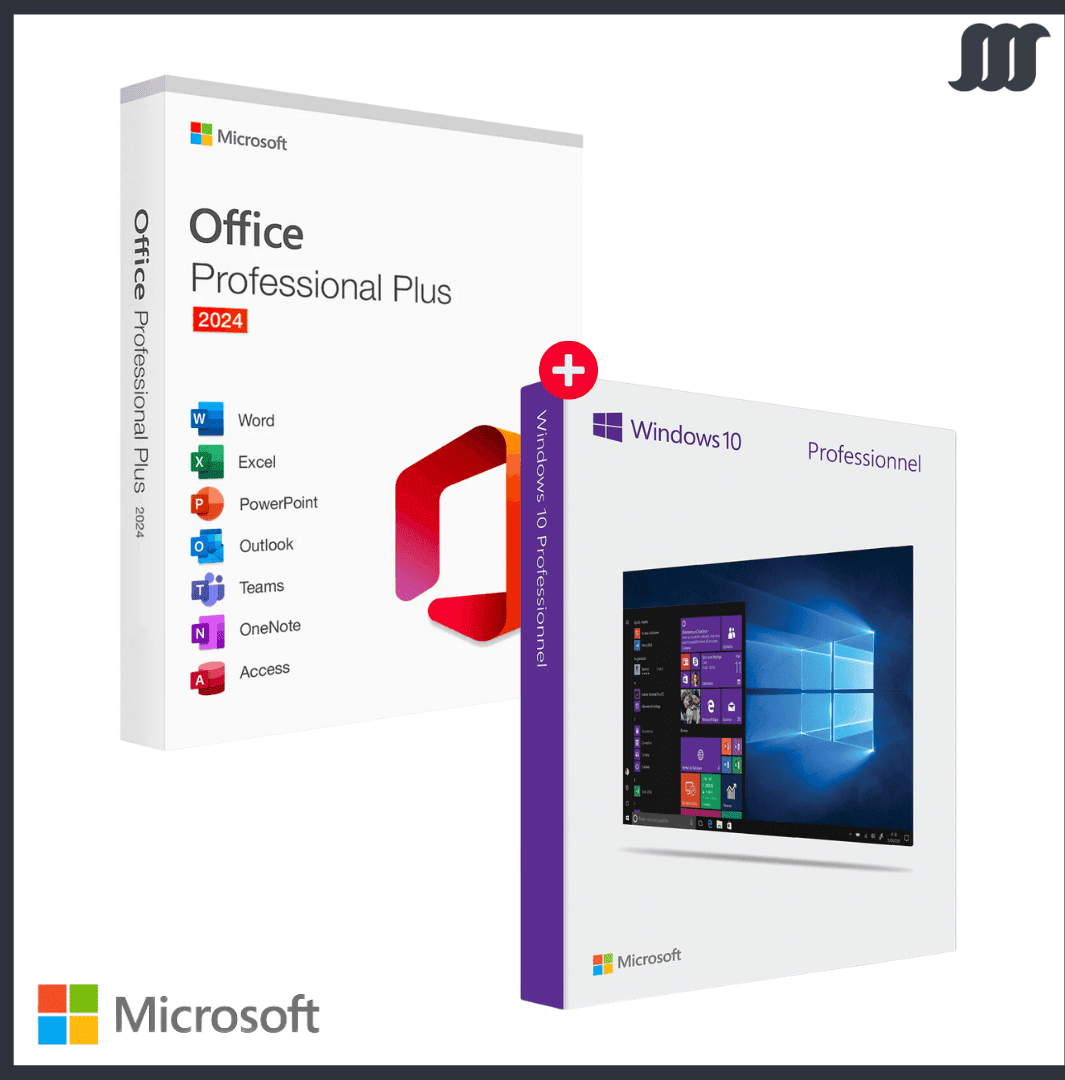
Microsoft Office 2024 Professional Plus + Microsoft Windows 10 Professional (Bundel)Microsoft Office 2024 Professional Plus + Microsoft Windows 10 Professional (1 Device) Boost your productivity and security with this powerful bundle tailored for a single device. Ideal for professionals and small businesses, this package combines Microsoft Office 2024 Professional Plus with the stability of Windows 10 Professional, offering an optimized, efficient workspace. Key Features Microsoft Office 2024 Professional Plus Comprehensive Office Suite: Get access to essential applications, including Word, Excel, PowerPoint, Outlook, Access, and Publisher. Real-Time Collaboration: Collaborate seamlessly with co-authoring and Microsoft Teams integration. AI-Powered Assistance: Utilize Copilot AI for drafting, design, and content suggestions. Advanced Security: Enhanced encryption and identity tools for secure, compliant work. Microsoft Windows 10 Professional Enhanced Security for Professionals: BitLocker, Windows Defender, and advanced access management. Optimized Workflow: Multitask efficiently with virtual desktops and snap features. Remote Access: Access your device from anywhere with Remote Desktop. High Compatibility: Built for stability and compatibility with various applications. Why Choose This Bundle? Microsoft Office 2024 Pro Plus + Windows 10 Pro (1 Device): Designed for those who need reliable, secure productivity tools on a single device, this bundle provides the latest in Office software alongside the trusted features of Windows 10 Professional. Perfect for professionals looking to streamline and safeguard their workflow.26,39 £*Shipping: 0,00 £Secure redirect to the provider
-
Microsoft Office 2024 Professional Plus + Microsoft Windows 11 Professional (Bundel)Microsoft Office 2024 Professional Plus + Microsoft Windows 11 Professional License Elevate your productivity with the Microsoft Office 2024 Professional Plus + Microsoft Windows 11 Professional License bundle. This powerful combination is specifically designed for professionals who require advanced tools and features for an optimized workflow on a single device. Key Features Microsoft Office 2024 Professional Plus Comprehensive Office Suite: Includes essential applications such as Word, Excel, PowerPoint, Outlook, Access, and Publisher, fully equipped to meet your business needs. Collaborative Tools: Experience real-time co-authoring and seamless integration with Microsoft Teams for enhanced teamwork and collaboration. AI-Enhanced Functionality: Leverage Copilot AI for smarter drafting, innovative design suggestions, and insightful data analysis. Strong Security: Protect sensitive information with advanced encryption and compliance tools to ensure data safety. Microsoft Windows 11 Professional License Modern User Interface: Benefit from a sleek, intuitive design that enhances productivity and makes navigation effortless. Enhanced Security Features: Enjoy built-in security measures like Windows Hello and BitLocker, providing robust protection for your data. Improved Performance: Optimized for speed and efficiency, Windows 11 ensures smooth multitasking and reliable app performance. Seamless Compatibility: Supports a wide array of applications, ensuring a cohesive and efficient user experience. Why Choose This Bundle? This bundle is ideal for professionals and businesses looking for essential tools and security features that enhance productivity. With the Microsoft Office 2024 Professional Plus + Microsoft Windows 11 Professional License, you are fully equipped to tackle any challenge with confidence.26,39 £*Shipping: 0,00 £Secure redirect to the provider
-
Microsoft Office 2016 Professional PlusOriginal Microsoft Office 2016 Professional Plus licence. Professional software with genuine digital activation. Key Features: - Lifetime licence - Platform: Windows / macOS - Multi-language - Official download - Digital delivery What's Included: - Original licence key - Official download instructions - Installation guide - Electronic invoice - Installation support22,00 £*Shipping: 0,00 £Secure redirect to the provider
-
Microsoft Office 2024 Professional PlusMicrosoft Office 2024 Professional Plus (LTSC) is the most complete one-time-purchase Office for Windows: Word, Excel, PowerPoint, Outlook, OneNote and Access. Microsoft provides security updates until 9 October 2029, and there is no Microsoft 365 subscription to renew. Please note: Office LTSC 2024 is not redeemed at setup.office.com and is not added to a Microsoft account. You install it with the download link we email and enter the key inside Office to activate it. Apps included App Professional Plus 2024 Standard 2024 Word, Excel, PowerPoint Yes Yes Outlook, OneNote Yes Yes Access (desktop database) Yes No Publisher No No Teams Separate free download Separate free download Access is the reason to choose Professional Plus. Many accounting, stock-control and reporting tools store their data in Access databases. If you never open one, Microsoft Office 2024 Standard gives you the other apps for less. Microsoft retires Publisher in October 2026, so no 2024 edition includes it. What's new compared with Office 2021 Excel: dynamic charts that grow with dynamic arrays, 14 new text and array functions such as TEXTSPLIT and VSTACK, and the IMAGE function for pictures inside cells. Faster switching between large workbooks and support for OpenDocument Format 1.4. Accessibility tools gathered in one ribbon, plus refreshed design across the apps. Our article What's new in Office 2024 covers the changes app by app. Why LTSC instead of Microsoft 365? LTSC (Long-Term Servicing Channel) means a fixed feature set: Office 2024 receives security fixes but no new features, so it behaves the same way for the next five years. That suits offices that want predictable software, PCs that rarely go online and anyone who prefers paying once. Microsoft 365 is the alternative if you want cloud storage and features that change every month. Installation and activation Uninstall any older Office version from the PC first. Use the download link and instructions in your email to install Office LTSC 2024. Open Word or Excel and enter the 25-character key when asked, or go to File > Account > Change Product Key. Requirements Operating system: Windows 11. Windows 10 support ended on 14 October 2025, so Microsoft no longer supports Office on it. Upgrade with Windows 11 Pro if needed. Hardware: 1.1 GHz dual-core processor, 4 GB RAM, 4 GB free disk space, 1280 x 768 display. Mac: this edition is Windows only. See Office 2024 Home & Business for Mac. Office 2024 Professional Plus FAQ Is this a one-time purchase? Yes. There are no monthly or yearly fees. How many PCs does the key cover? One Windows PC. Does it include Visio or Project? No. They are sold separately: Visio 2024 Professional and Project 2024 Professional. Can I reinstall it after formatting my PC? Office LTSC 2024 is not tied to a Microsoft account, so keep your key and email safe. If you run into problems reactivating, contact us. Compare both editions on the Office 2024 page.39,99 £*Shipping: 0,00 £Secure redirect to the provider
-
How can I download Microsoft Office 2010 Professional Plus in German?
To download Microsoft Office 2010 Professional Plus in German, you can visit the official Microsoft website and navigate to the Office 2010 page. From there, you can select the German language version and follow the prompts to purchase and download the software. Alternatively, you can also purchase a physical copy of the software from a retailer that offers the German language version. Once you have obtained the software, you can follow the installation instructions to set it up on your computer. **
-
Why is the product key for Microsoft Office 2019 Professional Plus not working?
The product key for Microsoft Office 2019 Professional Plus may not be working due to a few reasons. It could be that the key has already been used and is no longer valid. It's also possible that the key was mistyped during the installation process. Another reason could be that the key is for a different version of Microsoft Office or for a different product altogether. It's important to double-check the key and ensure that it is being entered correctly, and if the issue persists, contacting Microsoft support for further assistance may be necessary. **
-
What is the difference between Microsoft Office Professional 2007 and Office Enterprise 2007?
The main difference between Microsoft Office Professional 2007 and Office Enterprise 2007 is the inclusion of additional programs in the Enterprise version. Office Professional 2007 includes essential programs such as Word, Excel, PowerPoint, and Outlook. On the other hand, Office Enterprise 2007 includes these programs as well as additional tools such as Access, Publisher, and Communicator. This makes the Enterprise version more suitable for businesses and organizations that require a wider range of office productivity tools. **
-
Are the Microsoft Office Professional Plus product keys offered on eBay for a few euros useless for a private user?
Yes, the Microsoft Office Professional Plus product keys offered on eBay for a few euros are likely to be useless for a private user. These keys are often sold illegally or are unauthorized resales, which means they may be invalid or revoked by Microsoft. Purchasing from unauthorized sellers also poses a risk of malware or other security issues. It is best to purchase Microsoft Office products directly from Microsoft or authorized retailers to ensure you are getting a legitimate and secure product. **
Similar search terms for Microsoft-Office-Professional-Plus
-
Microsoft Office 2021 Professional Plus & Microsoft Visio 2021 LifetimeExclusive Bundle: Microsoft Office 2021 Professional Plus & Microsoft Visio 2021 – £25.33 Elevate your productivity with our exceptional bundle featuring Microsoft Office 2021 Professional Plus and Microsoft Visio 2021. This bundle provides you with comprehensive tools to enhance your work efficiency and create professional diagrams effortlessly. Microsoft Office 2021 Professional Plus: Programs Included: Outlook, Word, Excel, PowerPoint, Access, Publisher, Skype for Business. Platform: Windows Product Type: Full Version, One-time purchase Compatibility: Works with Windows 10 and Windows 11 Instant Delivery: Receive your product keys and download links via email immediately after purchase. Microsoft Visio Professional 2021: Features: Flexible editing, real-time presence indicators, simultaneous team editing, supports multiple data sources, data-driven diagramming, AutoCAD support. Platform: Windows / Windows Server Product Type: Full Version Instant Delivery: Receive your product key and download link via email immediately after purchase. Bundle Info: Price: £25.33 Delivery: Instant via email Support: Full customer support available from Microsoft Note: This bundle is for Windows systems only. FAQs: Q: Do I get a download link for these applications? A: Yes, you will receive links to download both Office and Visio directly from Microsoft’s official site. Q: Are these keys genuine and legitimate? A: Yes, both keys are 100% authentic and guaranteed. Q: Can I get customer support if needed? A: Yes, you can get support directly from Microsoft.23,40 £*Shipping: 0,00 £Secure redirect to the provider
-
Microsoft Office 2019 Professional Plus (Bind)Microsoft Office 2019 Professional Plus redeemed to your Microsoft account at setup.office.com. Because the licence lives in your account, you can download Office again after a reinstall of Windows or move it to another PC. Support status Office 2019 reached end of support on 14 October 2025 and no longer gets security patches. It remains a sensible choice only when you must stay on 2019 for compatibility. Otherwise, Office 2024 Professional Plus is supported until October 2029. Included apps Word, Excel, PowerPoint, Outlook, Access and Publisher for Windows 10 and Windows 11. Bind or Retail? Bind (this licence): account-linked, reinstallable, transferable to a new PC. Retail (1 PC): lower price, activated on one computer only. Redeeming your key Sign in at setup.office.com with your Microsoft account. Type in the key from your order email. Install Office from the download button on your account page. FAQ Does it work on Windows 7? No. Office 2019 requires Windows 10 or later. Office 2016 Professional Plus (Bind) is the newest version for Windows 7 and 8.1. Is it for one PC? Yes, one computer at a time. More options on the Office 2019 page.79,99 £*Shipping: 0,00 £Secure redirect to the provider
-
Microsoft Office 2016 Professional Plus (Bind)Microsoft Office 2016 Professional Plus with an account-linked licence. Redeem it at setup.office.com and Office 2016 can be downloaded again from your Microsoft account, even after you wipe an older PC to speed it up. Who still needs Office 2016? PCs running Windows 7 or 8.1, where Office 2019 and later will not install Businesses whose macros, add-ins or templates are certified for 2016 Teams that want every machine on the same Office version Microsoft support ended on 14 October 2025. On a current Windows 11 PC, Office 2024 Professional Plus is the better buy. Apps Word, Excel, PowerPoint, Outlook, OneNote, Access and Publisher. Bind vs Retail The Bind licence is tied to your Microsoft account, so it can be reinstalled and moved to another computer. The lower-cost Retail (1 PC) key stays with the first PC it activates. Setting it up Open setup.office.com, sign in and enter your key. Download Office 2016 from your account. Install and sign in to activate. FAQ Which Windows versions does it support? Windows 7, 8.1, 10 and 11. Can I add Visio or Project 2016? Yes, they install alongside it: Visio 2016 and Project 2016. See every option on Office 2016.99,99 £*Shipping: 0,00 £Secure redirect to the provider
-
Microsoft Office 2021 Professional Plus (Bind)Microsoft Office 2021 Professional Plus linked to your Microsoft account. You redeem the key at setup.office.com, then download and reinstall Office from your account whenever you need to, including on a replacement PC. Why choose Bind Reinstall Office after a Windows reset or a new hard drive. Move the licence to a new computer by signing in with the same account. Your purchase is recorded in your Microsoft account, so the key is never lost in an old email. Only need Office on one PC that you will keep? The cheaper Office 2021 Professional Plus (Retail) is tied to that computer instead. Apps and support Includes Word, Excel, PowerPoint, Outlook, OneNote, Access and Publisher. Microsoft ended support for Office 2021 in October 2026, so it no longer receives security updates. If you do not need Publisher, Microsoft Office 2024 Professional Plus is supported until 9 October 2029. How to redeem Go to setup.office.com and sign in with your Microsoft account (or create one). Enter the 25-character key from your email. Download Office from your account page and install it. Requirements A Windows 10 or Windows 11 PC and a Microsoft account. Office 2021 is not available for Windows 7 or 8.1. Mac users need Office 2021 Home & Business for Mac. FAQ Can I install it on two PCs at once? No. The licence is for one PC at a time; to move it, uninstall it from the old one first. Do I need internet to use Office afterwards? Only for installation and activation. The apps then work offline. All 2021 options: Office 2021.129,99 £*Shipping: 0,00 £Secure redirect to the provider
-
What is the name of the professional version of Microsoft Office for Mac OS?
The professional version of Microsoft Office for Mac OS is called "Microsoft Office for Mac." This version includes all the essential Office applications such as Word, Excel, PowerPoint, and Outlook, along with additional features and capabilities designed for professional use. It is tailored to meet the needs of businesses, organizations, and individuals who require advanced productivity tools and collaboration features on their Mac computers. **
-
Has anyone of you already had experiences with activating the product Office 2021 Professional Plus, especially regarding the requirement to use a Microsoft account?
Yes, I have experience activating Office 2021 Professional Plus. When activating the product, a Microsoft account is required for the activation process. This means that you will need to sign in with your Microsoft account or create a new one if you don't already have one. Once signed in, you can proceed with the activation process and start using the Office 2021 Professional Plus suite. Overall, the activation process was straightforward and didn't pose any major issues. **
-
What is the difference between Microsoft Office 2019 and Microsoft Office 365?
Microsoft Office 2019 is a one-time purchase that includes classic applications such as Word, Excel, and PowerPoint. It does not receive new features or updates after the initial purchase, and users are required to pay for any future upgrades. On the other hand, Microsoft Office 365 is a subscription-based service that includes the latest versions of the Office applications, as well as other productivity services such as OneDrive and Skype. Office 365 subscribers receive regular updates and new features, and have the flexibility to access their applications and files from any device with an internet connection. **
-
How can I copy/transfer Microsoft Office Professional from an old to a new PC?
To transfer Microsoft Office Professional from an old to a new PC, you can deactivate the software on the old computer by uninstalling it. Then, you can reinstall the software on the new PC using the original product key. If you no longer have access to the product key, you may need to contact Microsoft support for assistance in transferring the license to the new computer. Additionally, you can use cloud storage services like OneDrive to backup and transfer any important documents or files associated with Microsoft Office. **
* All prices are inclusive of VAT and, if applicable, plus shipping costs. The offer information is based on the details provided by the respective shop and is updated through automated processes. Real-time updates do not occur, so deviations can occur in individual cases. ** Note: Parts of this content were created by AI.